5 Quick Online Banking Tips
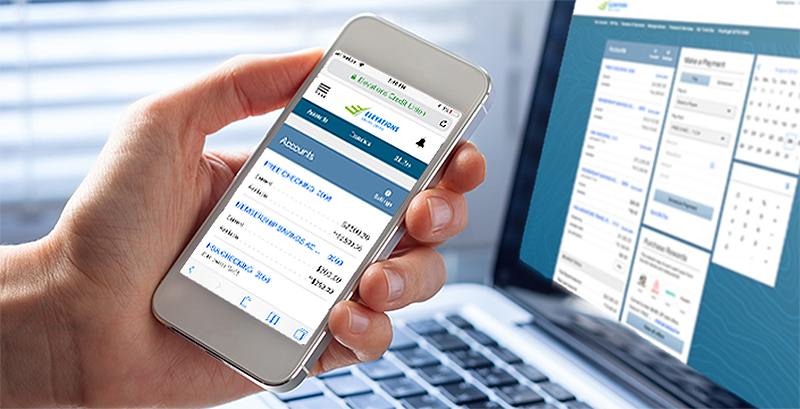
Elevations online banking is loaded with convenient tools to help make managing your money as easy as possible. We’ve created quick video tutorials to show you how to do some of the most common tasks in online banking, including finding your account number, ordering checks, stopping a payment and more. Whether you’re new to online banking or just looking to use online banking more, check out our five videos below for simple step-by-step instructions.
How to Find Your 13-Digit Account Number
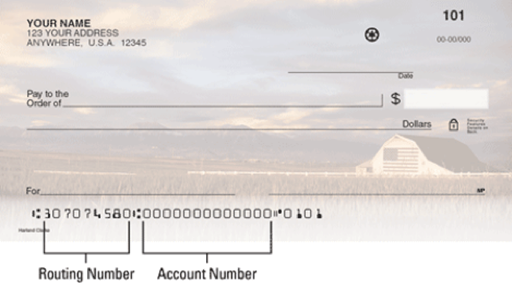
To find your account number, log in to online banking. Select the name of the account you’d like to view and click “Account Details.” The ACH number is your full 13-digit account number. You may also view your account number at the bottom of your checks. This account number can be used for bill pay, electronic payments, direct deposit and account transfers.
How to Find Your Statements
To view your statements online, log in to online banking and select “eDocuments” in the top right corner. eDocuments includes your account statements, credit and debit card statements and tax statements, as well as account notices, change in terms and events brochures.
How to Stop a Payment
Log in to online banking and select “Stop Payment” from the Additional Service tab. Choose to stop payment for a single check or multiple checks. Enter the check number(s) and amount(s), then click “Submit.” The stop payment fee is $15.00 in online banking. The fee is $31 in person at a branch or by phone, email or chat.
How to Set Up Direct Deposit
Get your payments the fastest and most secure way possible with direct deposit. After you set up direct deposit, your paychecks will be automatically deposited into your account. You can choose to have all or just a portion of the paycheck deposited into your account; you can also have the money deposited into different accounts. To set up direct deposit, fill out and print the Direct Deposit Form (PDF). Turn in the completed form to the company or organization initiating the payment. Please note that it may take several weeks for direct deposit to go into effect; consult with the initiating organization to confirm set up.
Direct deposit can also be used for many other types of payments, including:
- Tax refunds
- Social Security or other government payments
- Annuity payments
- Bonuses and commissions
- Dividend and interest payments
- Pension distributions
- Travel expense reimbursements
- Vendor payments
How to Order Checks
You can easily order checks in online banking. Select “Order Checks” from the Additional Services tab. Click Order Checks. Follow the instructions on the Harland Clarke website to place your order, or call 800.355.8123.
For more online banking video tutorials, subscribe to our YouTube channel. And to learn more about online banking, visit our website. If you can’t find what you need, we’re always happy to help. Please call us at 800.429.7626, log in to online banking and click Support to chat with us securely, or visit one of our branch locations.

Darin Atteberry appointed to the Elevations Credit Union Board of Directors
10/05/2026

Your guide to business microloans
09/02/2026

Elevations Credit Union appoints Veronica Riojas chief retail officer
07/30/2026
Enjoying our blog?
Choose which topics you’d like to receive updates on and start enjoying everything from tips on managing your finances to stories from our community.